
Reading your Bryq results
Part 1: Navigate your results
1.1 Jobs
Everything starts in Jobs
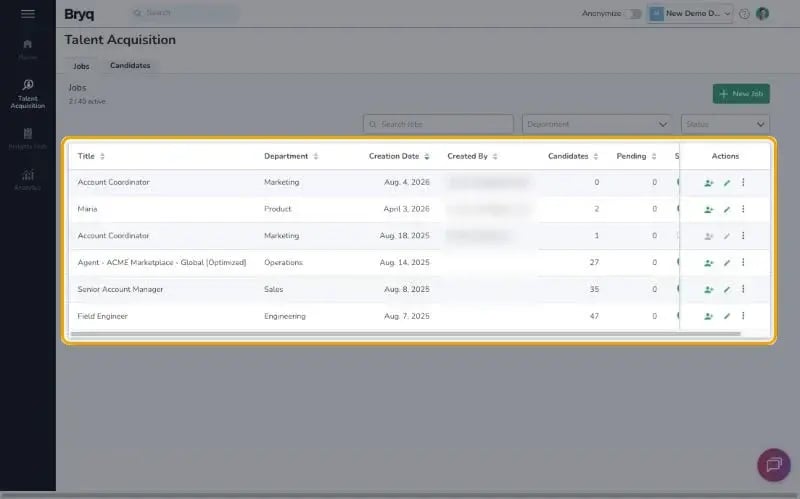
Under Talent Acquisition, the Jobs tab is your home base. Each row is a role, with its title, department, creation date, who created it, how many candidates were invited and how many are still pending. Status shows whether the job is active, and Actions lets you invite candidates or edit the job.
Find a role quickly
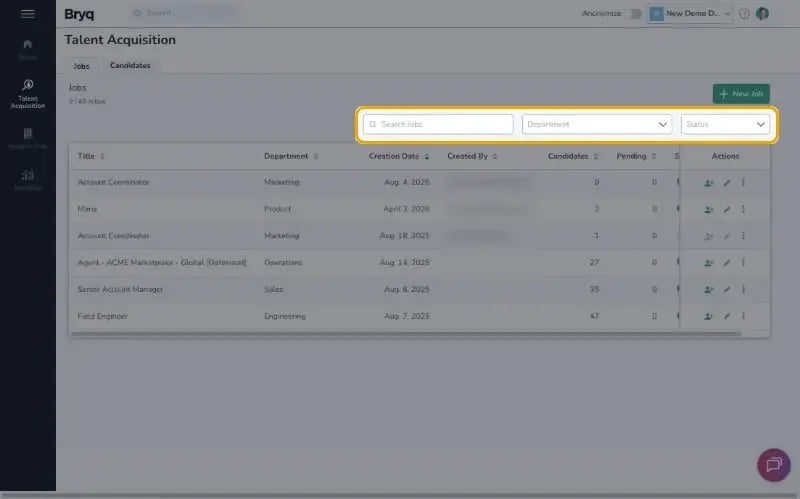
Search by title, or filter by department or status. We’ll follow the Senior Account Manager role. Click a role to open its candidate pool.
1.2 The candidate pool
Is the pool ready?
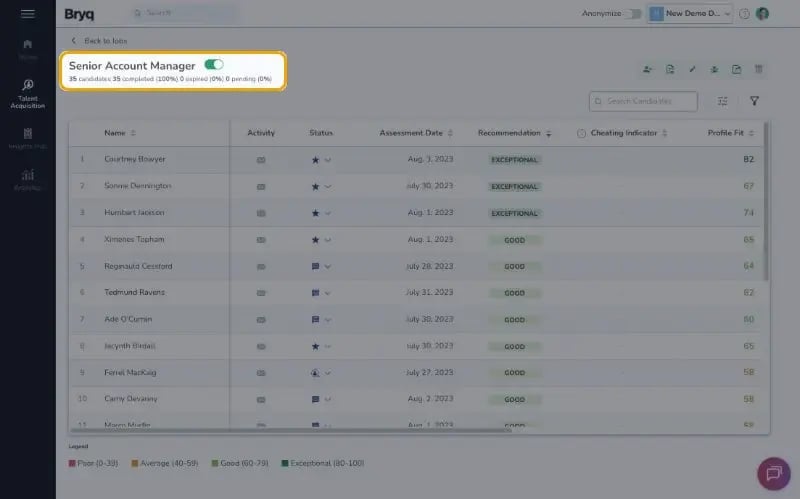
The line under the job title shows candidates invited, completed, expired and pending. Here all 35 have completed, so you’re ready to compare.
Ranked by recommendation
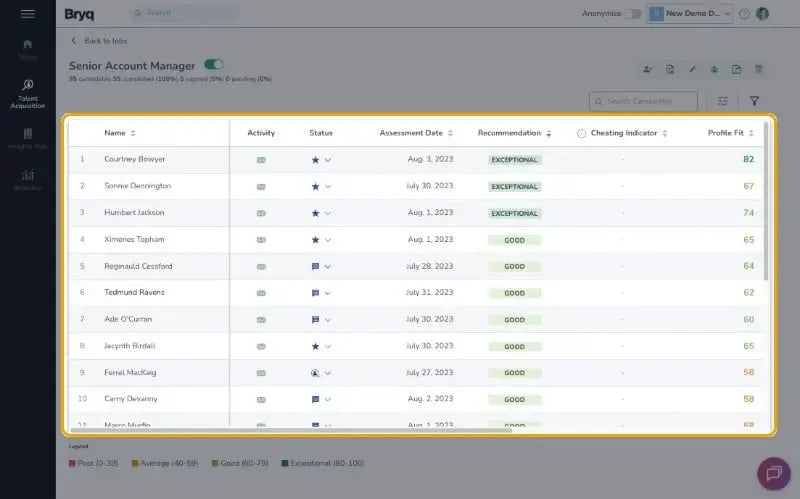
Candidates are ranked by overall recommendation, strongest first. Next to each name: activity, status, assessment date, the recommendation label, the Cheating Indicator and the score for each assessment.
Read the colors first
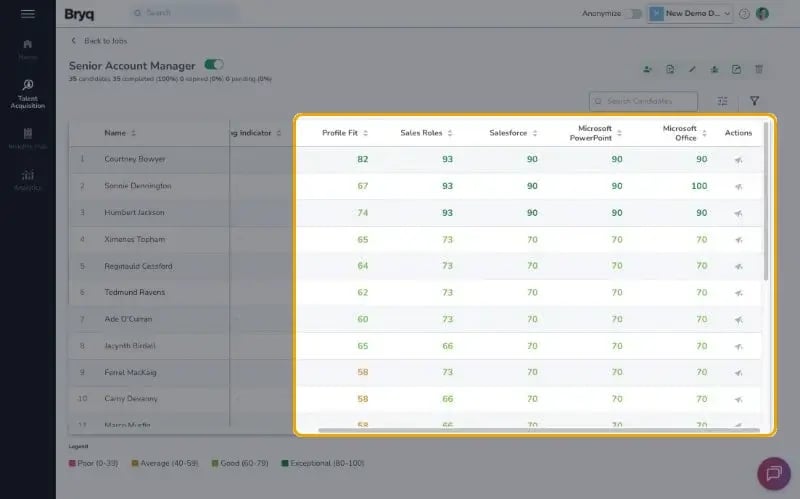
Scroll right to see a score per assessment: Profile Fit, then each skills test. Red is Poor, orange Average, light green Good, dark green Exceptional.
The legend under the table is always there if you forget the bands: 0–39, 40–59, 60–79, 80–100.
Meet Humbert Jackson
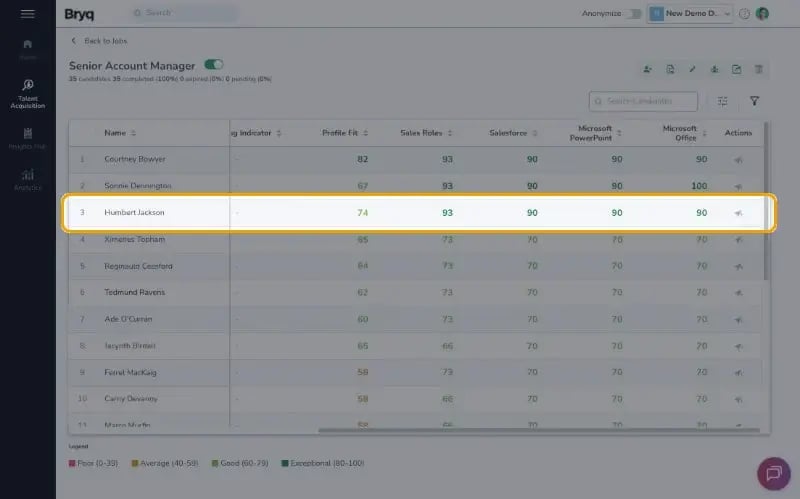
Third in the pool: Profile Fit 74, Sales Roles 93, and 90 on Salesforce, PowerPoint and Office. We’ll open his report in a moment.
Customize your columns
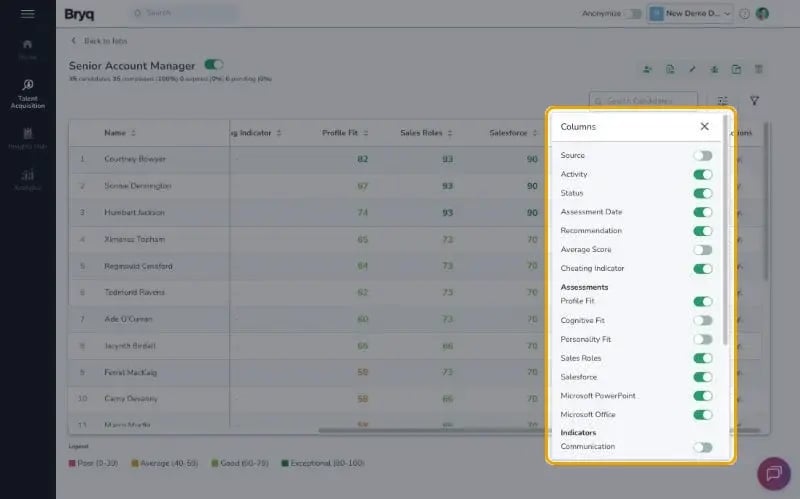
The columns icon lists every column you can show: general information, each assessment (including Cognitive Fit and Personality Fit separately), and indicators. Switch on only what you need to compare candidates.
Layer filters into a shortlist
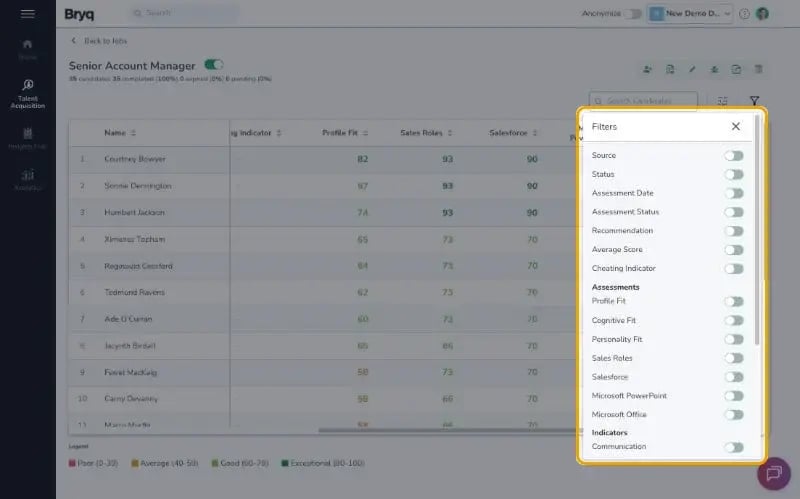
The filter icon uses the same groups. Turn on Recommendation and pick Good and Exceptional, then add Culture or an indicator to narrow the pool further.
Look someone up
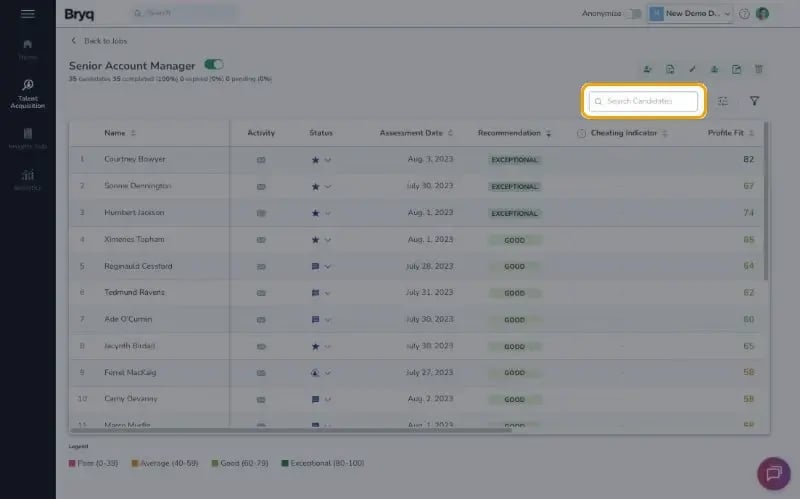
Following up on one person? Search the pool by name instead of scrolling.
Manage the job
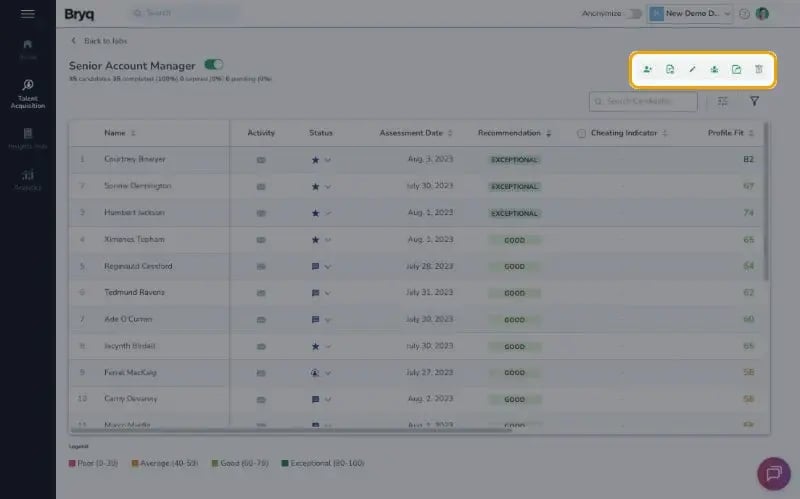
From left to right: invite more candidates, preview the assessment package, edit the job, manage team members, export results, and delete.
Delete is greyed out while a job is active. Deactivating is usually enough, and the role stays in your list.
1.3 The results page
Move around without losing your place
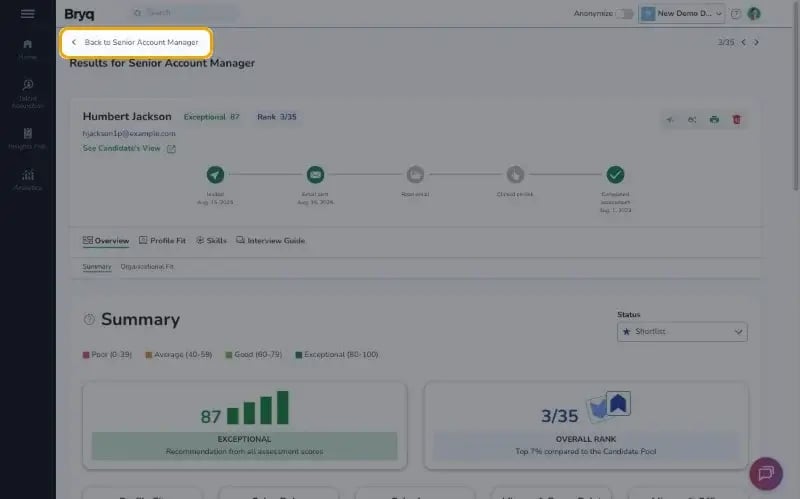
Go back to the pool in one click, or use the arrows at the top right to move to the previous or next candidate. Humbert is 3 of 35.
Anonymize what you see
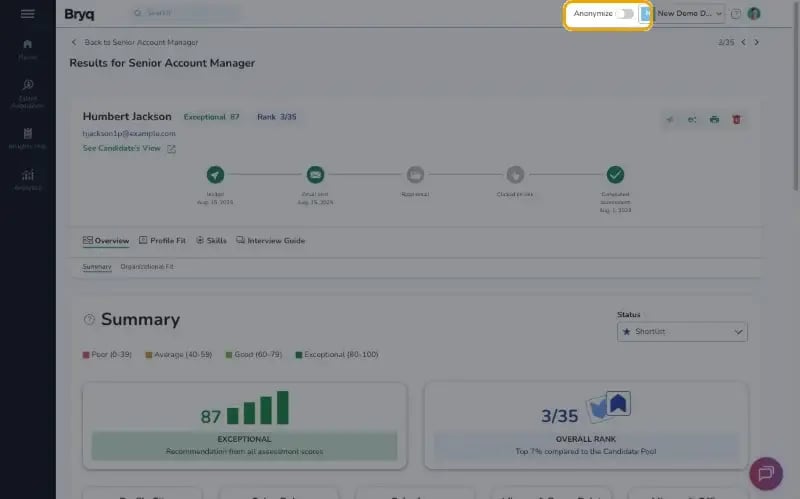
The Anonymize toggle hides names and emails on your screen. Use it to judge results on their merits, or when sharing your screen. It only changes your view.
The candidate header
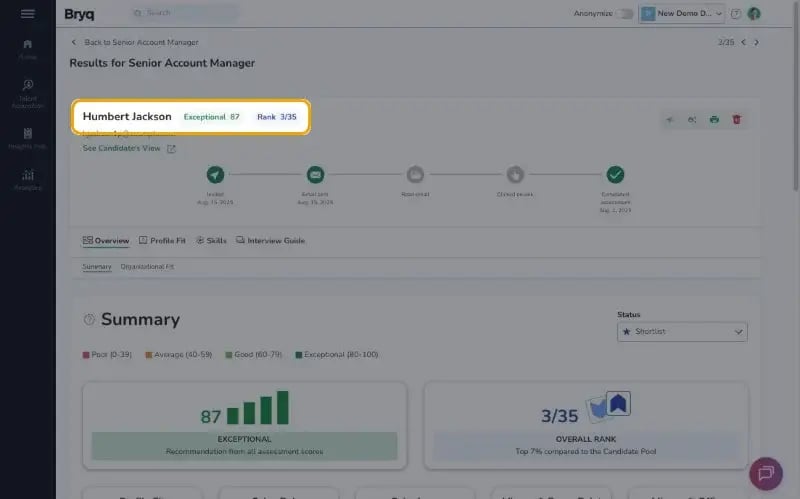
Name and email, with two badges: an Exceptional overall recommendation of 87, and a rank of 3 out of 35.
Actions for this candidate
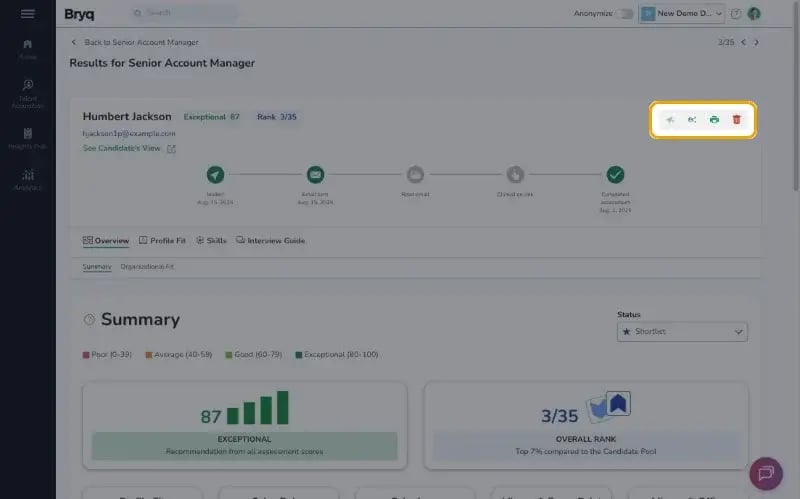
Resend the invitation, create an anonymized results link to share, print the report, or delete the candidate.
Avoid deleting candidates. Someone who isn’t right for this role may be a strong match for another.
See Candidate’s View
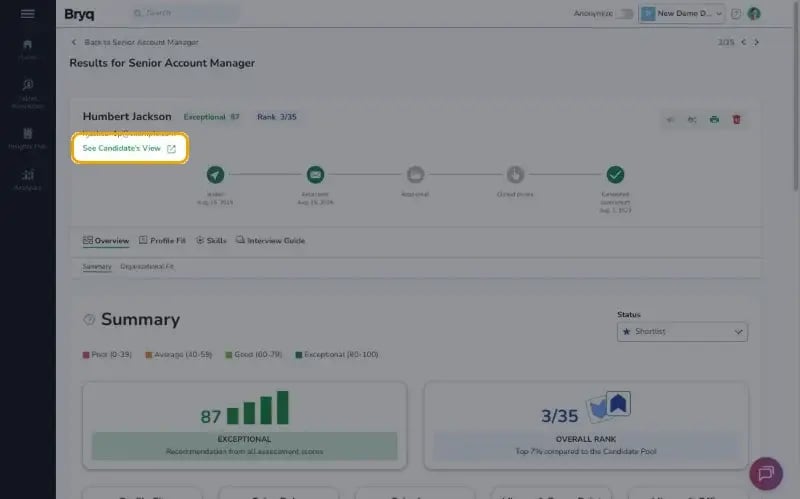
Opens the results page exactly as the candidate sees it. We’ll look at it later in the tutorial.
The activity timeline
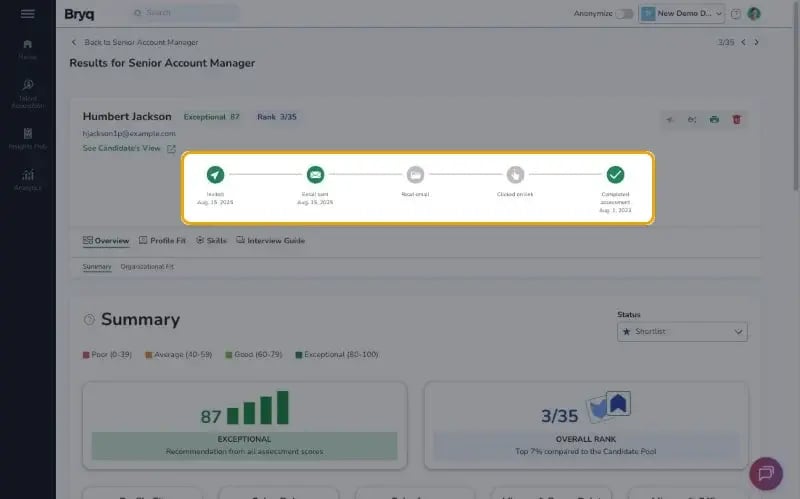
From invitation sent, to email opened, link clicked and assessment completed. Each step is ticked when it happens, with its date.
Four tabs, one report
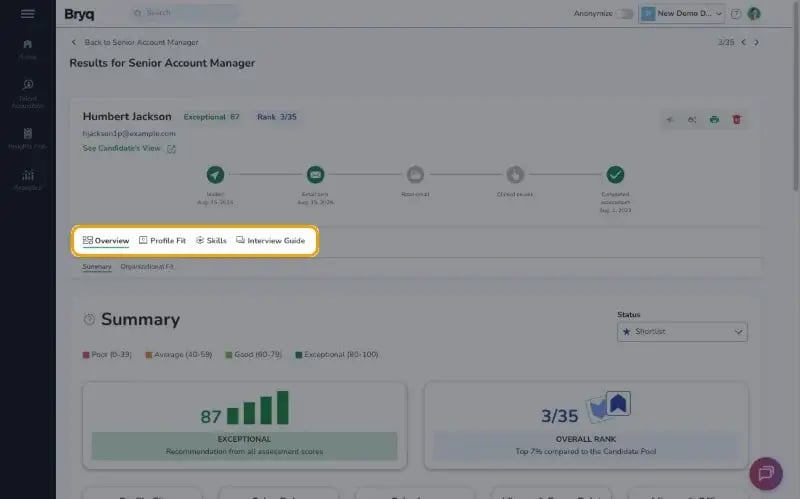
Overview (the big picture), Profile Fit (personality and cognitive match), Skills, and Interview Guide (tailored questions). We’ll go through each in turn.
Part 2: Overview
2.1 Overview
Overall recommendation
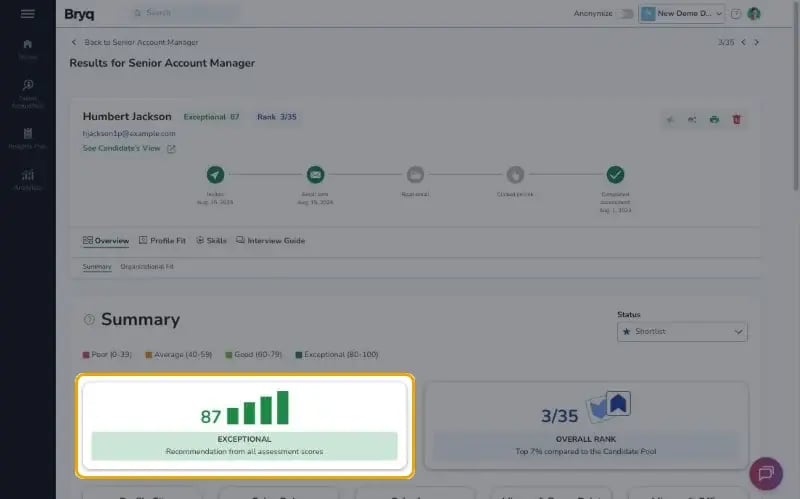
All assessments combined into one recommendation for the role. Humbert’s 87 is Exceptional: your first, quickest signal that someone is worth a closer look.
Overall rank
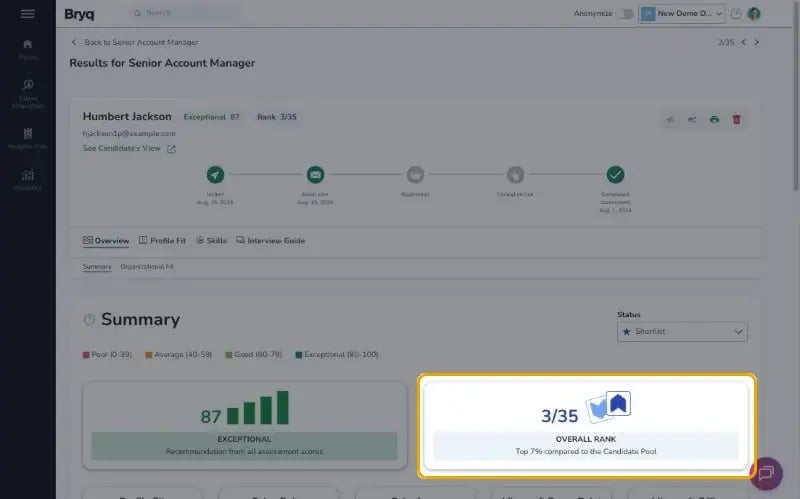
3rd of 35, the top 7% of this pool. The recommendation says how well someone fits the role; the rank says how they compare with everyone else who applied.
Track the candidate’s status
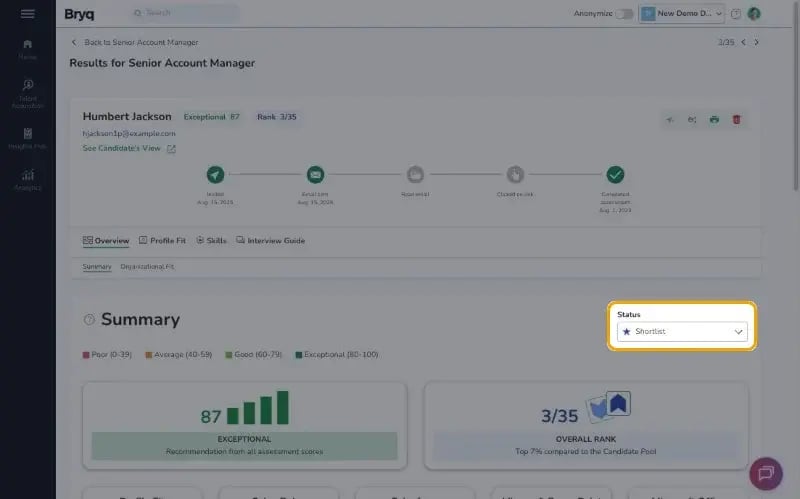
Prospect, Shortlist, Interview, Hired or Disqualified. Humbert is on the Shortlist. Updates here show in the pool’s Status column, so the whole team sees where each candidate stands.
The assessment cards
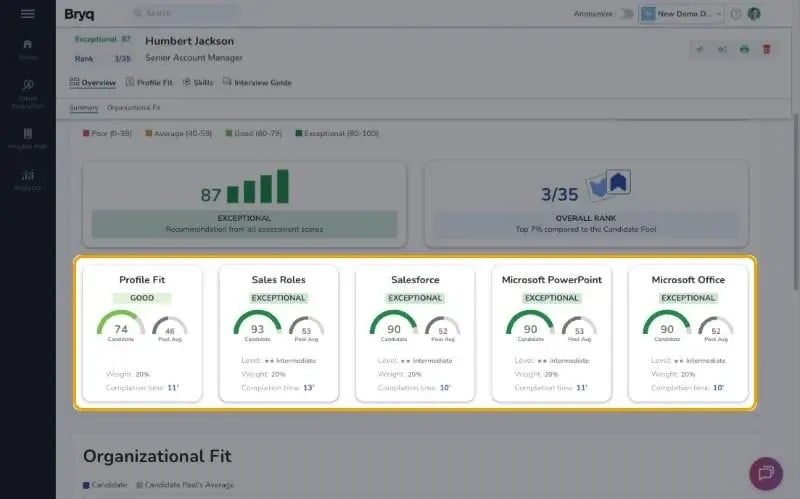
Each card shows the candidate’s score next to the pool average, the weight, completion time and, for skills, the level. Humbert: Profile Fit 74 (pool 46), Sales Roles 93 (53), and 90 on Salesforce, PowerPoint and Office (pool 52–53).
Why 74 here but 87 overall?
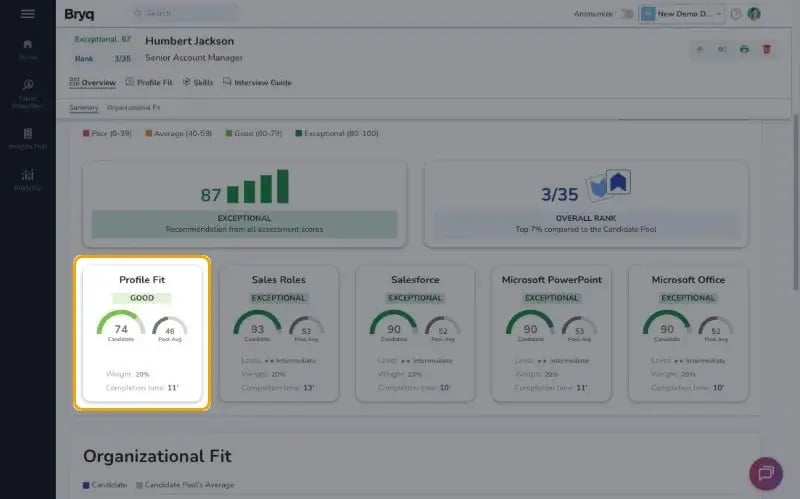
Profile Fit covers only personality and cognitive ability. The overall recommendation combines all five assessments, and here each weighs 20%. Humbert’s skills scores in the 90s lift the overall. You can set your own weights when you create a job.
Completion time isn’t pass or fail. Very short may mean rushing; very long, struggling or interruption. Humbert took 10–13 minutes per assessment.
2.2 Organizational Fit
The Culture Indicator
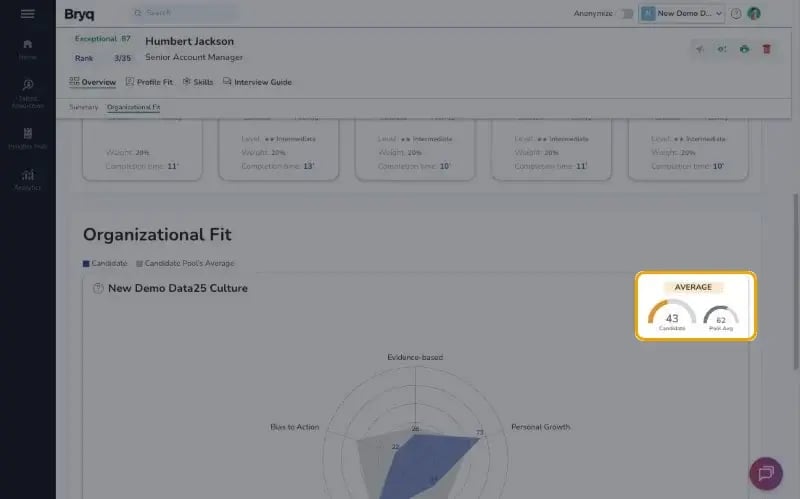
Measures alignment with your organization’s values, once they’ve been mapped by Bryq’s I-O psychology team. Humbert scores 43, Average, against a pool of 62. This is the one area where the strong overall picture needs a closer look.
Read the radar
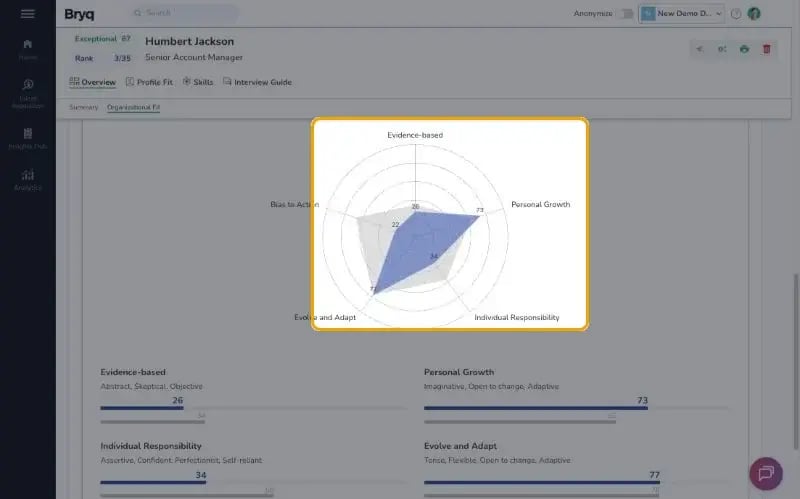
Blue is the candidate, grey the pool average. Wherever blue reaches further out, the candidate is more aligned with that value than the average candidate. Humbert reaches out toward Personal Growth and Evolve and Adapt, and sits well inside on the others.
Each value, in detail
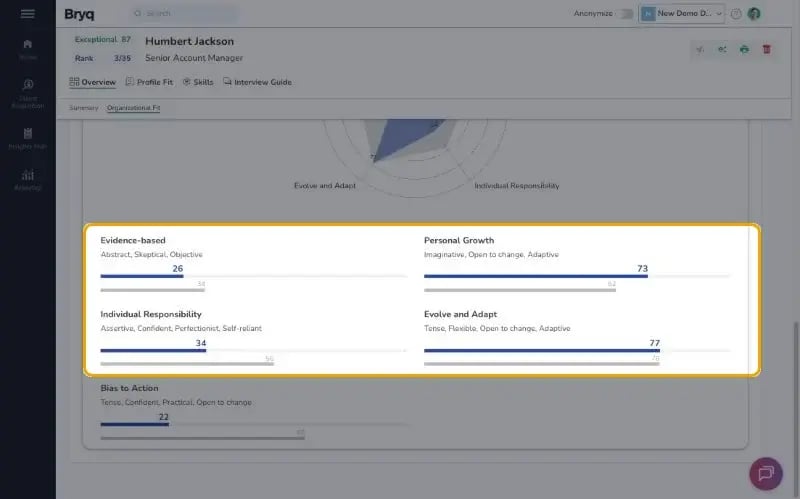
Under each value are the personality traits it’s built from. Humbert is above the pool on Personal Growth (73 vs 62) and level on Evolve and Adapt (77 vs 76), but below on Evidence-based (26 vs 34) and Individual Responsibility (34 vs 56).
The biggest gap
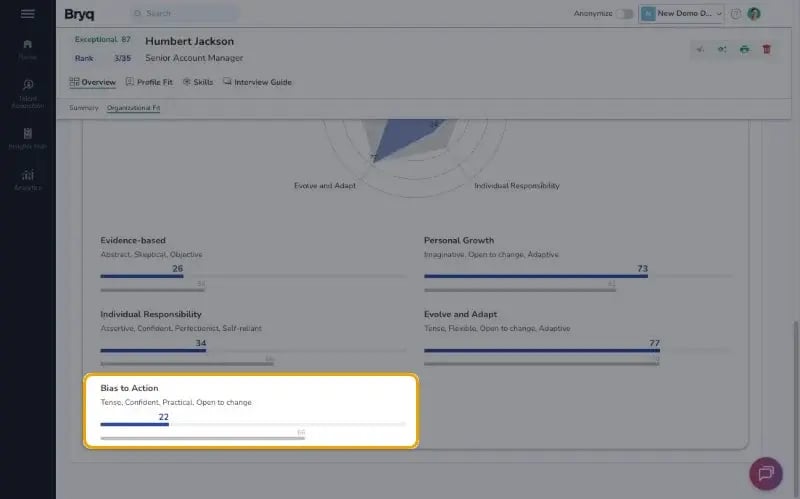
Bias to Action is 22 against a pool of 66. It’s built from Tense, Confident, Practical and Open to change, and Humbert leans the other way on several of these: relaxed, imaginative rather than practical.
Use the breakdown to see whether someone fits all your values or only some, and what to explore in the interview.
Part 3: Profile Fit
3.1 How scores work
Four sections
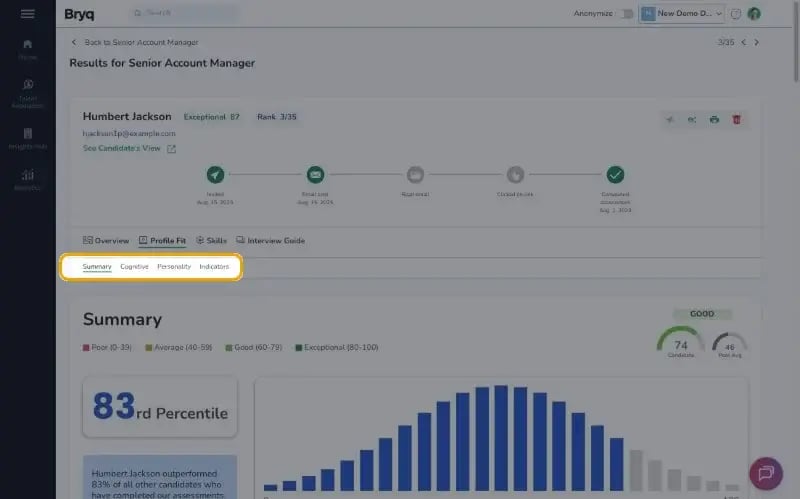
Profile Fit is the heart of the report: who the candidate is. Jump between Summary, Cognitive, Personality and Indicators with the links under the tabs.
Standardized, not percent correct
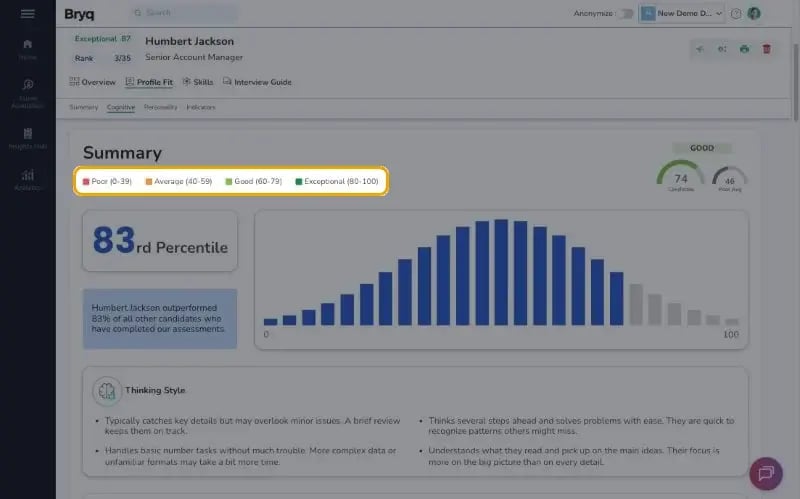
Bryq compares each result with a large norm group and places it on one four-band scale: 0–39 Poor, 40–59 Average, 60–79 Good, 80–100 Exceptional. Humbert’s Profile Fit is 74, Good, against a pool average of 46.
Two ways of comparing
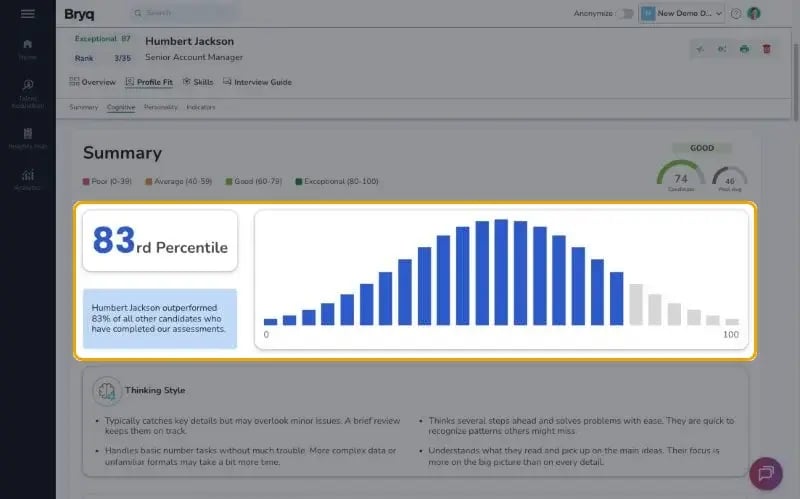
The pool average compares Humbert with candidates for this role. The percentile compares him with everyone who has taken Bryq’s assessments: he’s in the 83rd percentile. The blue bars are everyone he outscored.
A candidate can look average in a strong pool and still be well above the market, or the other way round.
The narrative summary
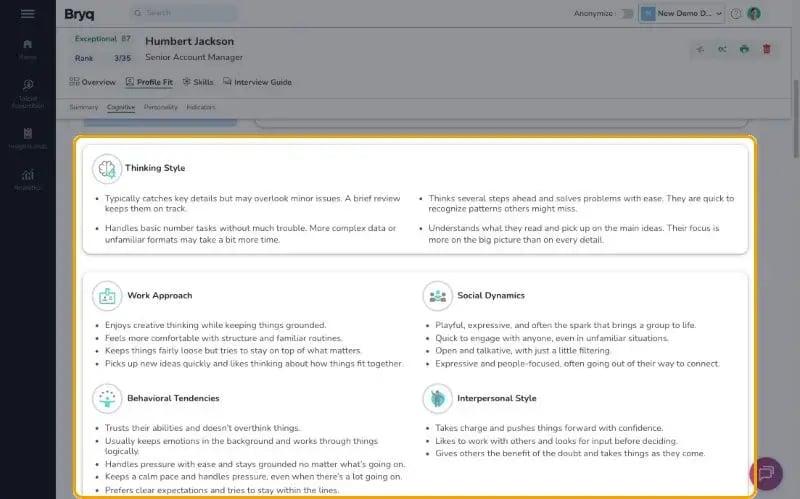
Five areas in plain language: Thinking Style, Work Approach, Social Dynamics, Behavioral Tendencies and Interpersonal Style. Humbert thinks several steps ahead, is quick to engage with anyone, handles pressure with ease, and takes charge with confidence, though structure and follow-through may be less natural to him.
3.2 Cognitive attributes
Performance on actual tasks
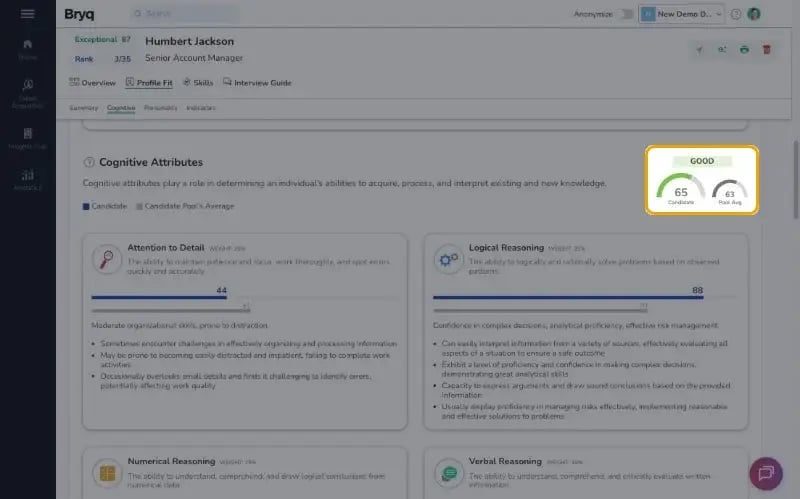
Cognitive attributes show how someone takes in, processes and applies information. The overall reflects four attributes, each weighted for the role. Humbert scores 65, Good, just above the pool’s 63.
A clear strength
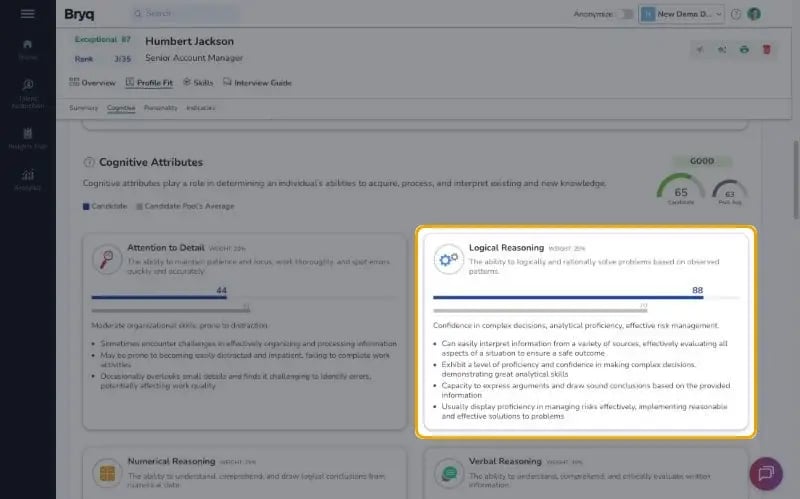
Logical Reasoning is 88 against a pool of 70: confident in complex decisions and strong at analysis. It also carries 25% of the weight.
And a development area
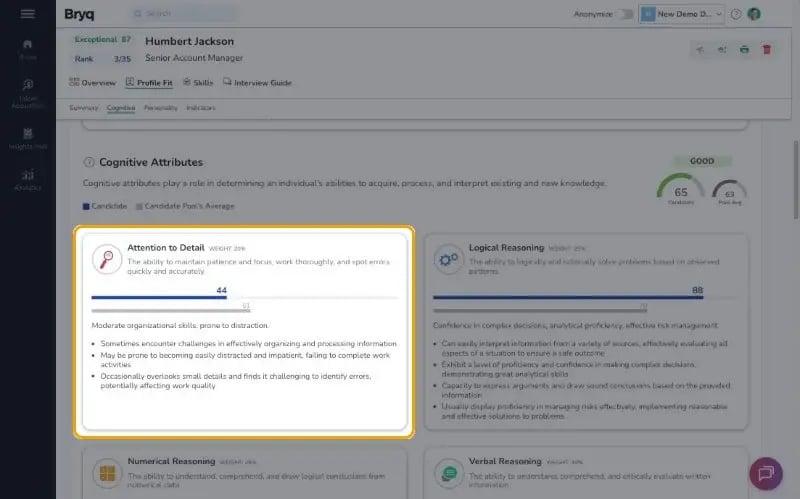
Attention to Detail is 44, below the pool’s 51. He may overlook small details or errors. It weighs 20% for this role.
Numerical and Verbal
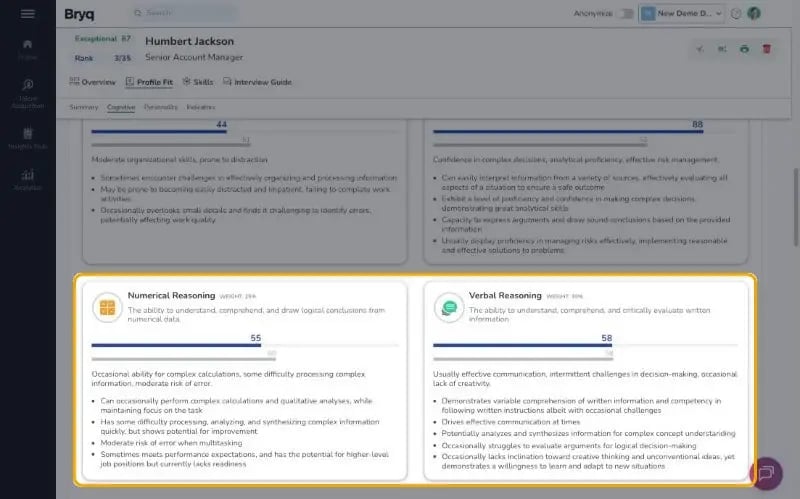
Numerical Reasoning is 55 (pool 60) and Verbal Reasoning 58 (pool 58): Average, close to the pool. Verbal carries the most weight for this role, at 30%.
Don’t ask “is this score low?” Ask “how much does this ability matter for the role, and what else does the candidate bring?”
3.3 Personality traits
Overall personality fit
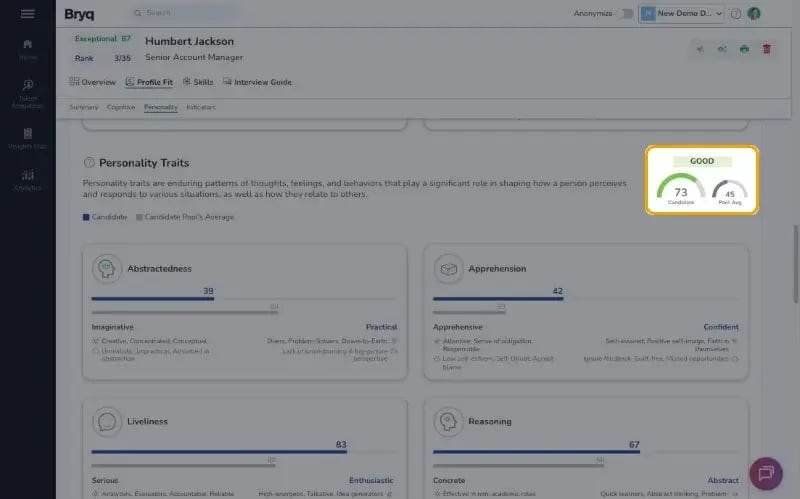
73, Good, against a pool of 45. Together with the cognitive result, that gives Profile Fit its Good 74.
How to read a trait card
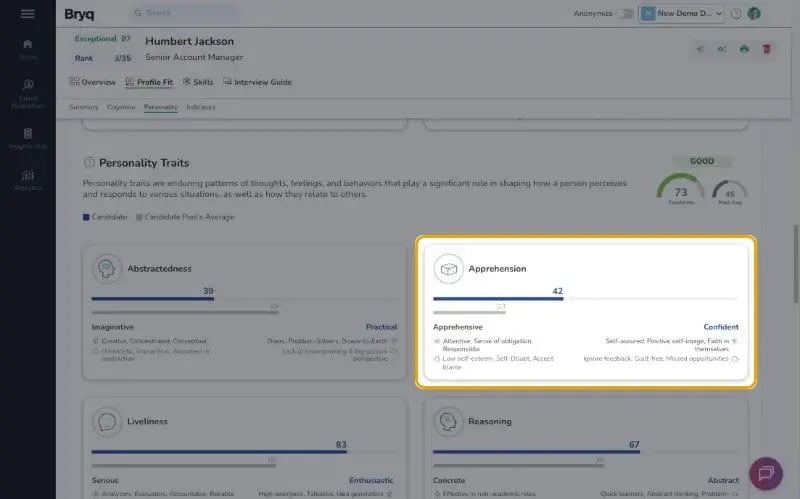
Bryq measures 16 traits, each a scale between two poles; neither is good or bad. The role’s preferred pole is in blue, here Confident. The blue bar shows how close the candidate is to it, and the grey bar is the pool average. Humbert’s 42 leans slightly toward Apprehensive, though well above the pool’s 23.
Strengths and watch-outs
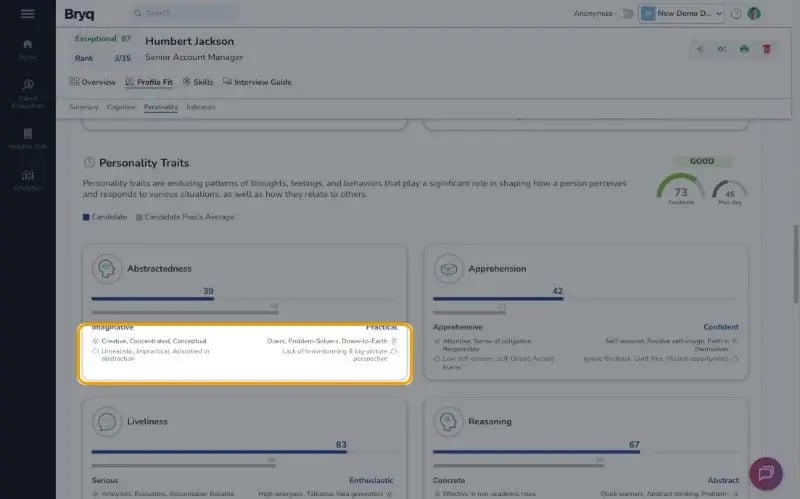
Every pole has both, marked with a sun and a cloud. Even a perfect match comes with watch-outs to keep an eye on.
Abstractedness: 39
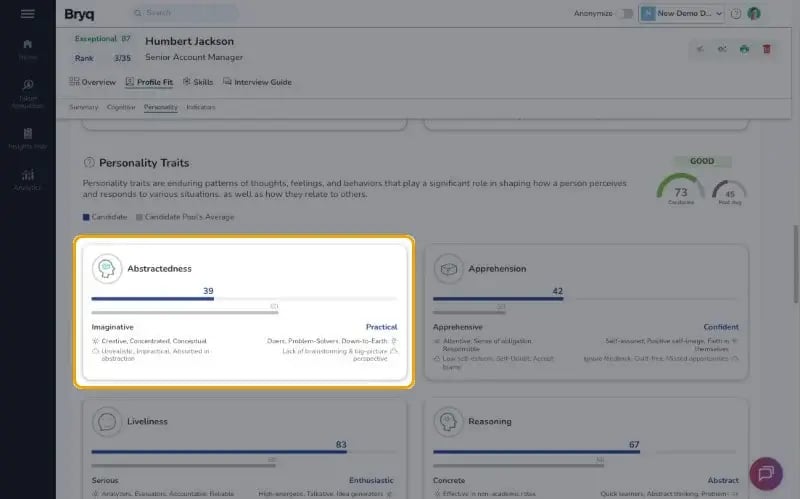
The role prefers Practical, and Humbert leans the other way, toward Imaginative, below the pool’s 60. Creative and conceptual, but may need support to stay grounded. You’ll see this trait again in the Interview Guide.
Liveliness: 83
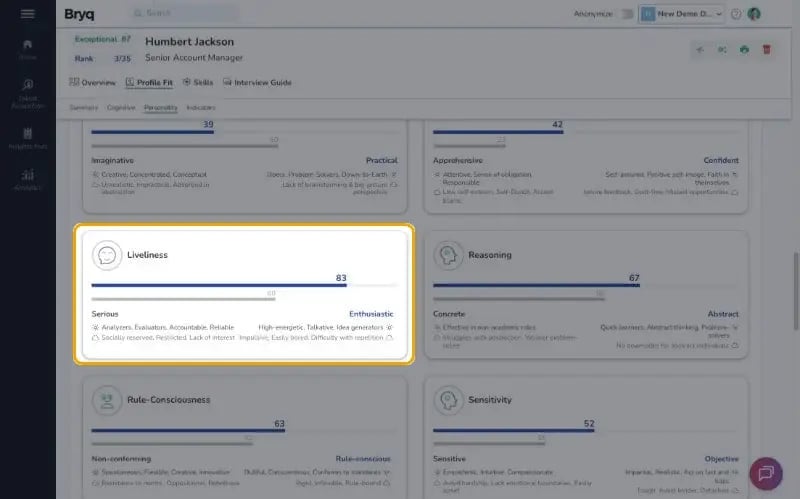
Strongly Enthusiastic, the role’s preferred pole: energetic, talkative, a source of ideas. Watch-out at this end: may get bored with repetition.
Reasoning: 67
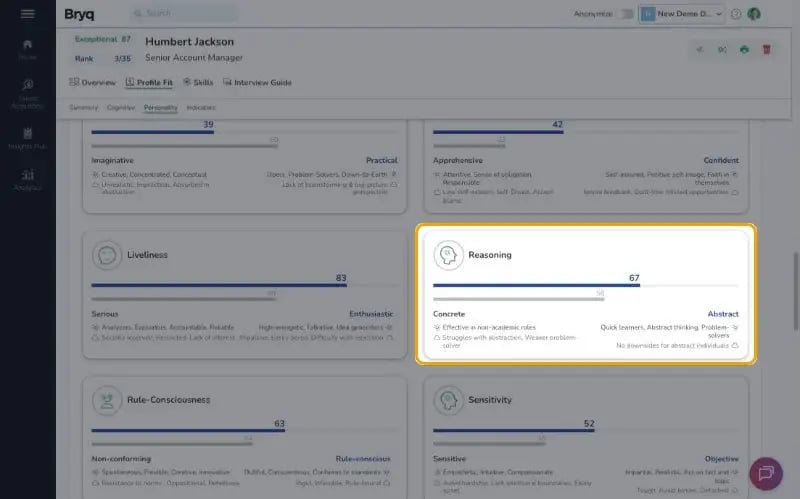
Leans Abstract: a quick learner who enjoys problem-solving. This matches his strong Logical Reasoning result, so the self-description and the measured performance agree.
Rule-Consciousness: 63
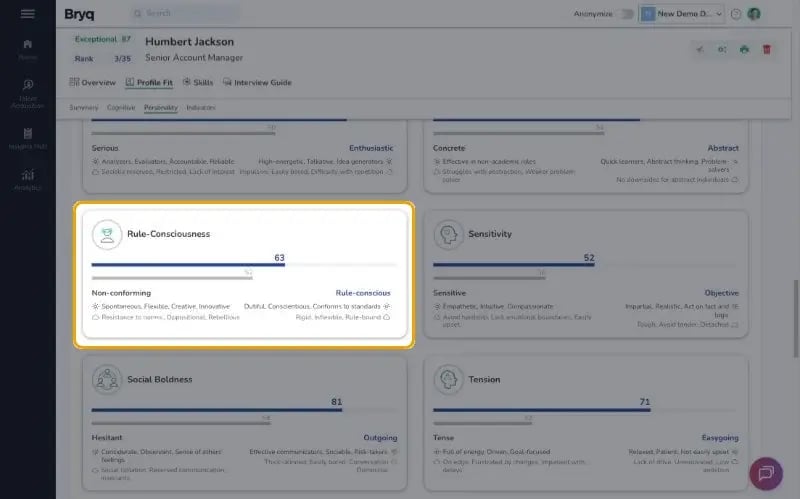
Leans Rule-conscious, slightly above the pool’s 52. A moderate lean: respects process without being rigid.
Sensitivity: 52
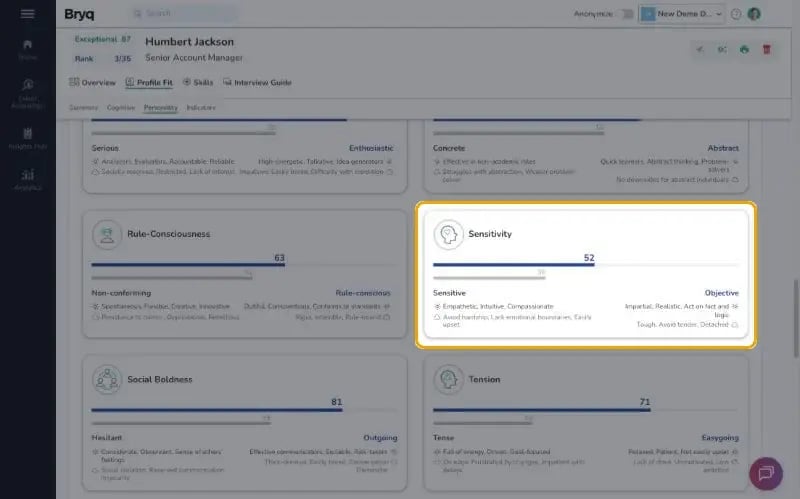
Close to the middle, slightly toward Objective, the role’s preference. Balances empathy with acting on fact and logic. A mild lean like this is another one worth confirming in interview.
Social Boldness: 81
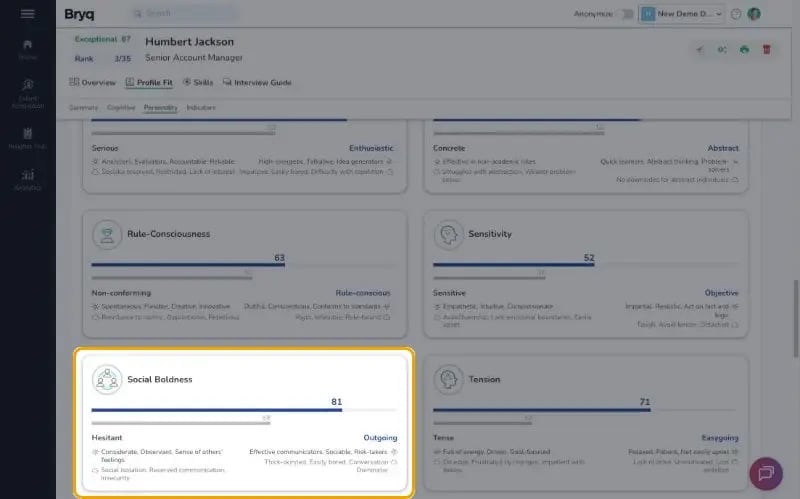
Strongly Outgoing, well above the pool’s 58: a sociable, effective communicator who’s comfortable taking risks. Valuable for building client relationships.
Tension: 71
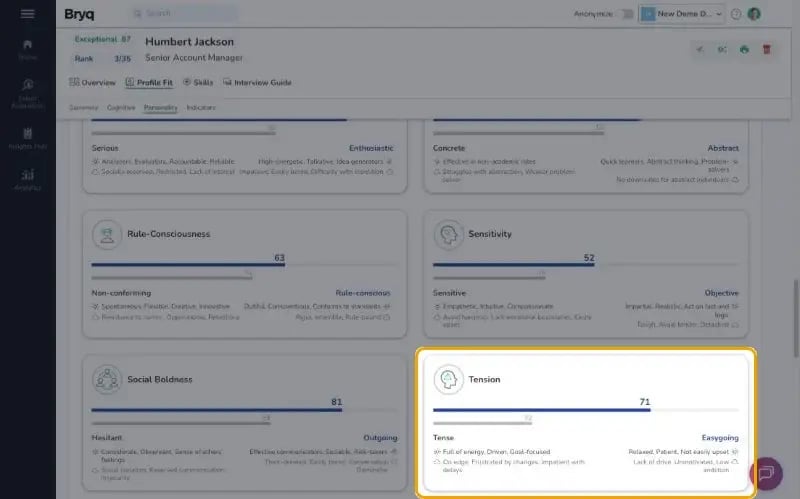
Leans Easygoing, the role’s preference, far above the pool’s 32: relaxed, patient and not easily upset. The watch-out at this end is lower drive, so check what motivates him.
Warmth: 88
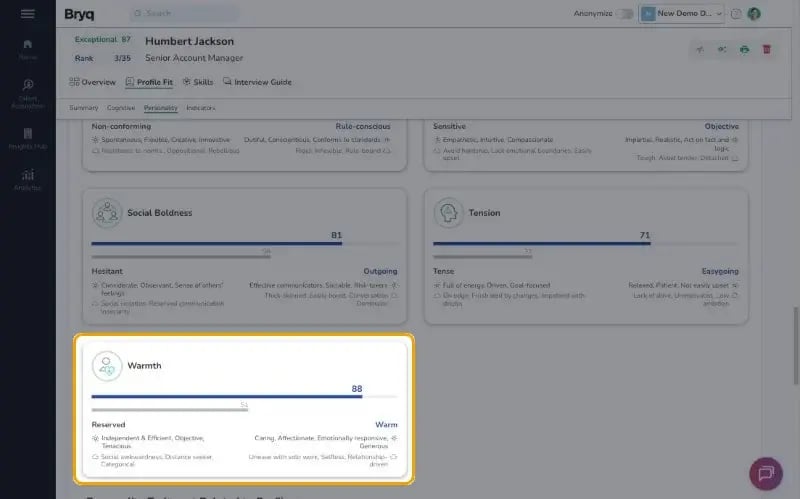
Strongly Warm, against a pool of 51: caring and emotionally responsive. Read with Social Boldness and Liveliness, the picture is someone who connects with people easily.
Traits not related to the profile
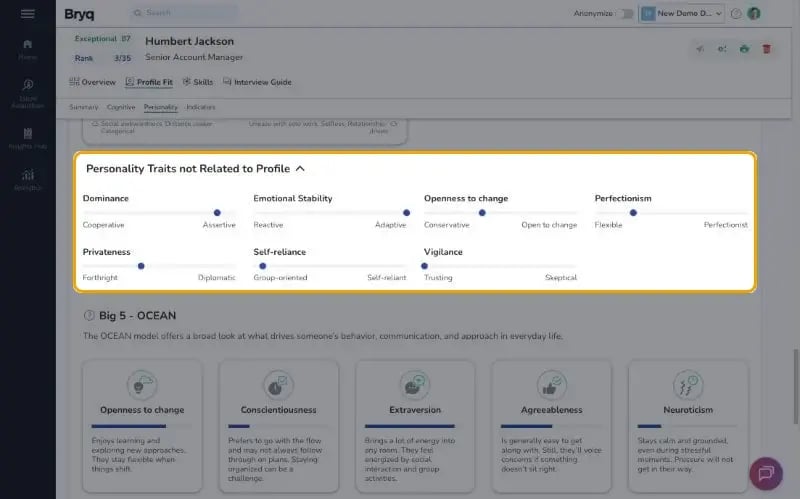
The other seven traits appear as sliders, with no fit to measure. Humbert sits toward Assertive, Adaptive, Forthright, Group-oriented and Trusting. They don’t affect Profile Fit but help with team dynamics, development and other roles.
3.4 Big Five and indicators
Big Five (OCEAN)
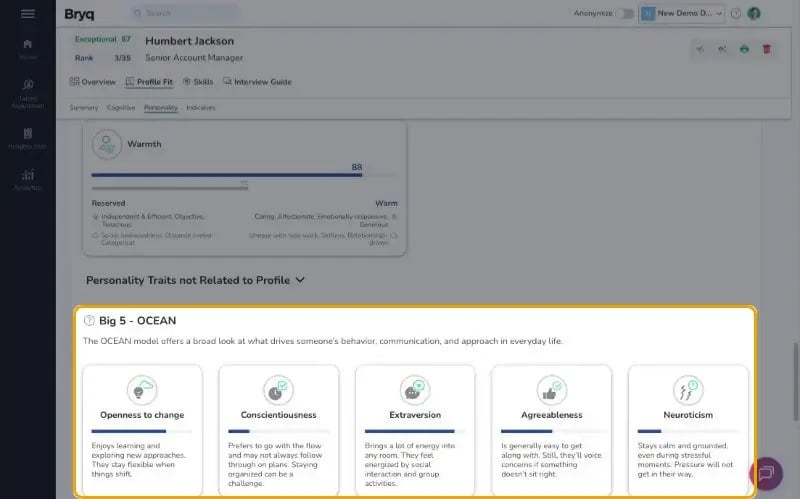
The 16 traits group into five broad dimensions, so OCEAN shows the same patterns at a higher level. Ideal for a quick read in early screening. Humbert’s picture is consistent: high extraversion, calm under stress, open to change, and lower conscientiousness.
Eight indicators
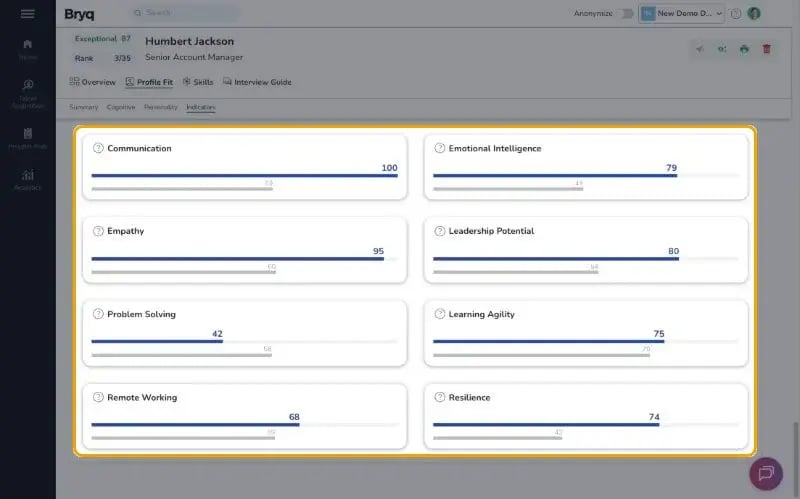
They translate the profile into everyday work terms. Humbert is far above the pool on Communication (100 vs 59), Empathy (95 vs 60), Leadership Potential (80 vs 54), Emotional Intelligence (79 vs 49) and Resilience (74 vs 42).
Problem Solving: 42
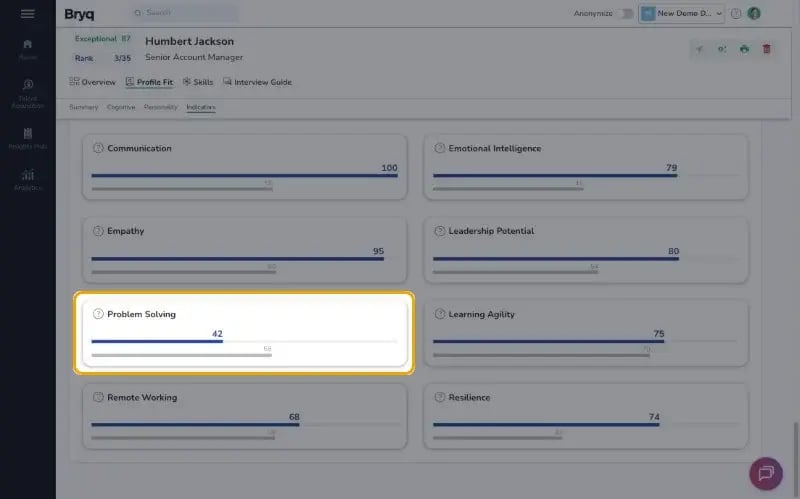
The one indicator below the pool (58). Worth reading next to his strong Logical Reasoning: he can analyze well, but may prefer to talk problems through with others rather than work them out alone.
Learning Agility: 75
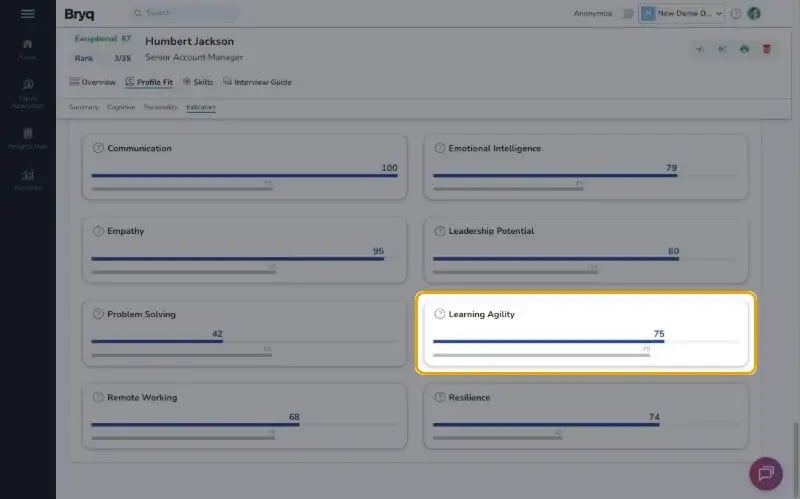
Slightly above the pool’s 70: likely to pick up new tools and processes without much trouble.
Learning Agility is one of the most useful indicators for talent management: who’s ready to grow and where training will land best.
Bring Profile Fit together
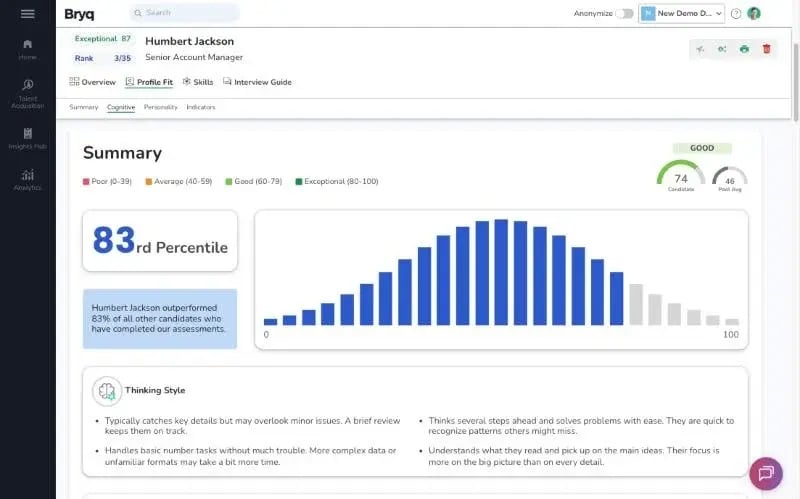
A strong people-oriented profile: outgoing, warm, calm and an excellent communicator, with strong logical reasoning. Things to explore: attention to detail, a practical, structured approach, and follow-through. Aim to write a summary like this after reading any report.
Part 4: Skills
4.1 Skills
How to read a skills card
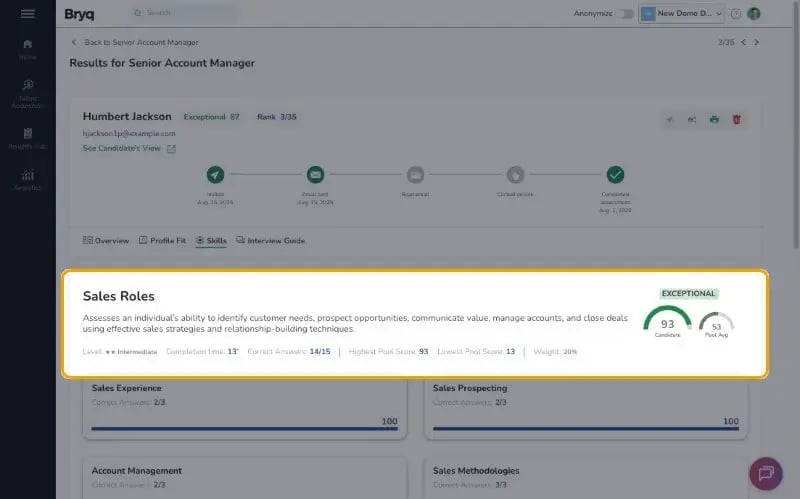
Profile Fit is who someone is; Skills is what they can do now. Each card has a description, the level set for the role, completion time, correct answers, the highest and lowest score in the pool, the weight, and the candidate’s score against the pool average.
Sales Roles: 93
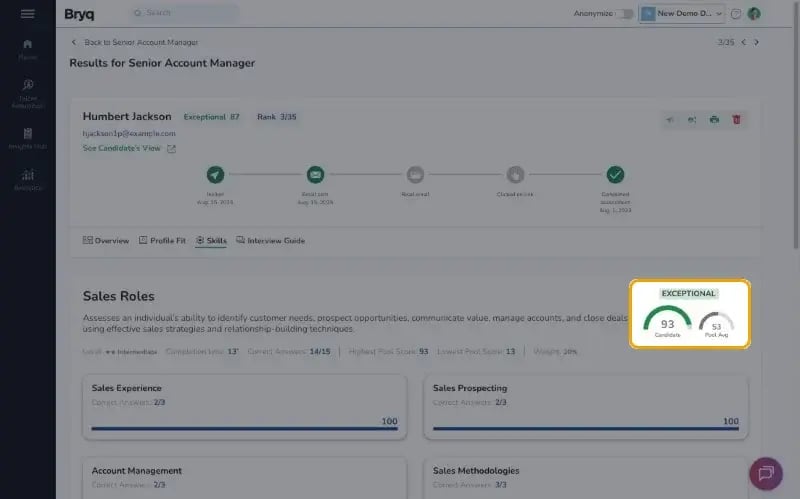
Exceptional, against a pool of 53. 14 of 15 correct, and the joint highest score in a pool that ranges from 13 to 93.
The breakdown is where the insight is
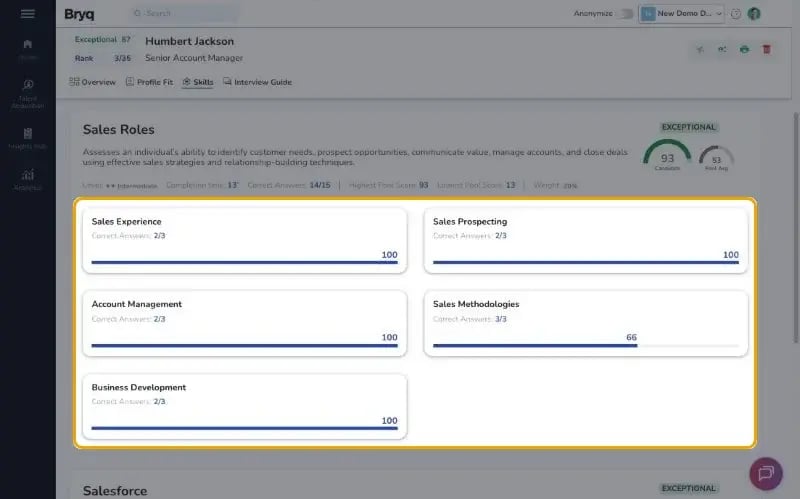
Five subskills: Sales Experience, Sales Prospecting, Account Management and Business Development at 100, and Sales Methodologies at 66.
Put the breakdown to work
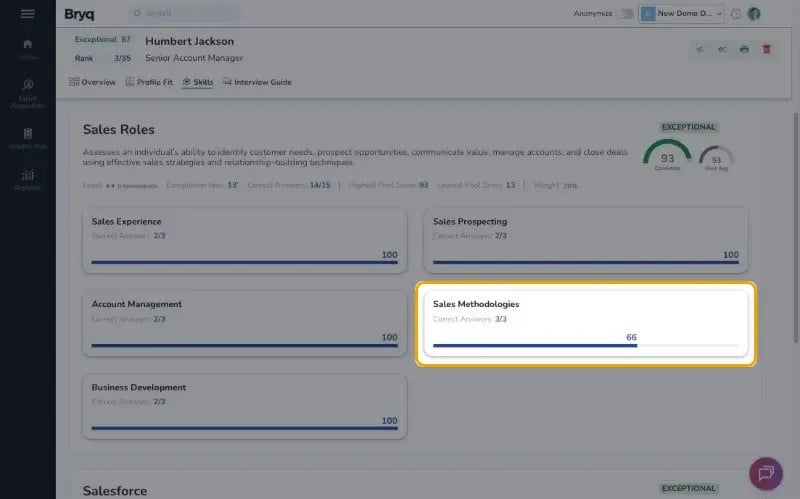
Interview: skip the basics of account management and probe which sales methodologies he uses. Onboarding: introduce your own sales process early. For employees, target training and repeat the assessment later.
The overall score tells you whether someone has the skills. The breakdown tells you what to do next.
Technical skills
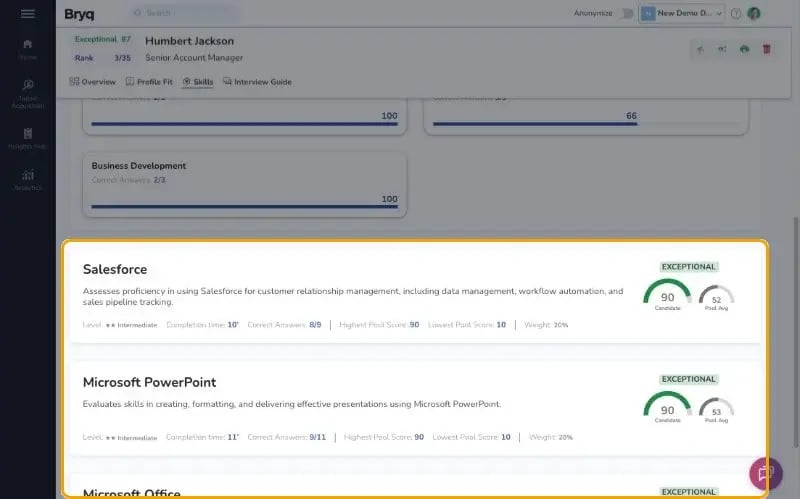
Salesforce 90 (pool 52), PowerPoint 90 (53) and Office 90 (52), all at Intermediate. Reliable command of everyday tools.
Read skills with Profile Fit
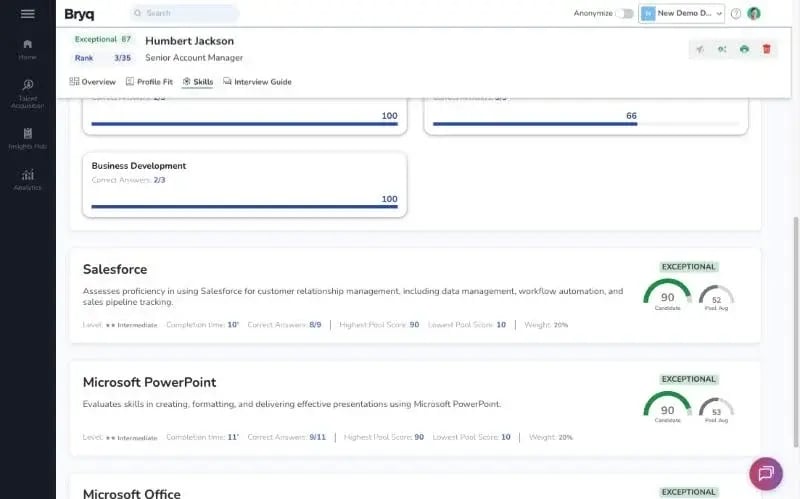
Attention to Detail was Humbert’s weaker cognitive result, yet his tool and sales skills are excellent. He has built strong practical expertise; the cognitive results suggest where careful checking may still matter, such as contracts and data entry.
Part 5: From results to decisions
5.1 Interview Guide
Why these traits?
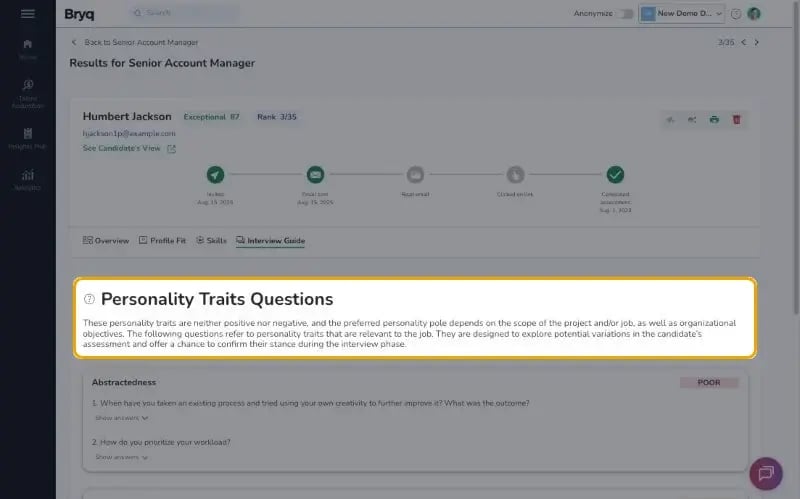
The guide covers role-relevant traits where the result is less clear-cut: mid-range, or leaning away from the preferred pole. They’re not red flags; they’re where an interview tells you most.
Abstractedness, marked Poor
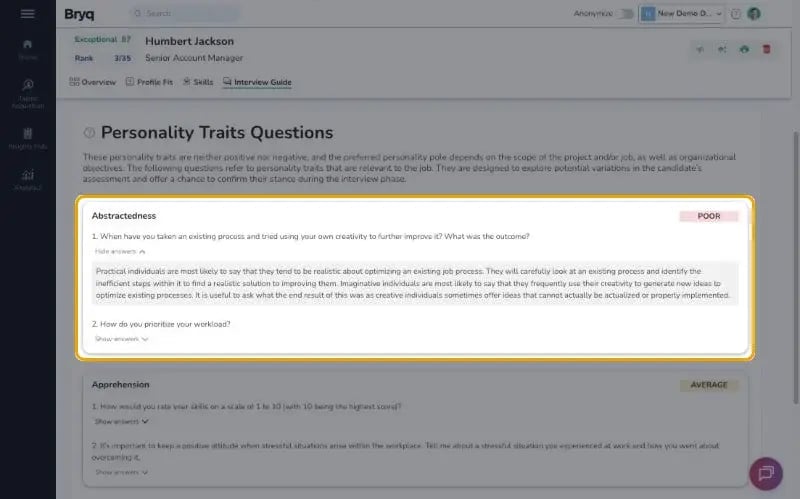
Humbert’s 39 leans away from the role’s preferred Practical pole. Click Show answers to see how people at each end typically respond, then listen for which pattern his answer resembles.
Apprehension and Sensitivity
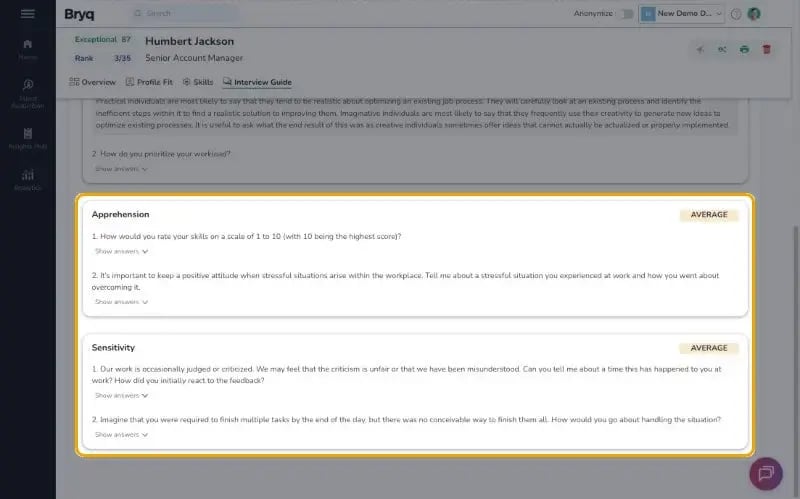
Both Average: 42 and 52, close to the middle. Two questions per trait give a more reliable picture than one answer on its own.
Get the most from the guide
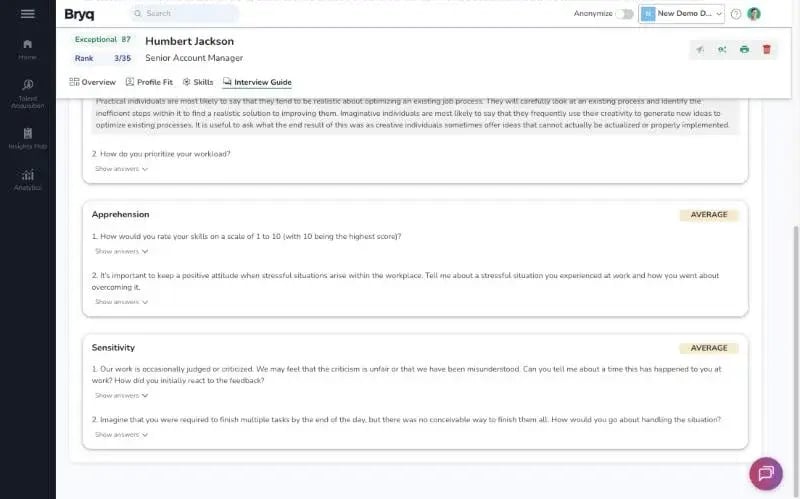
Follow up with “What did you do next?” or “What was the result?” to move from hypothetical to actual behavior. Most answers fall in between, so look for the overall tendency. You can also go beyond the guide: ask how he checks details in contracts or reports, and how he handles routine follow-up.
5.2 The candidate’s view
What candidates see
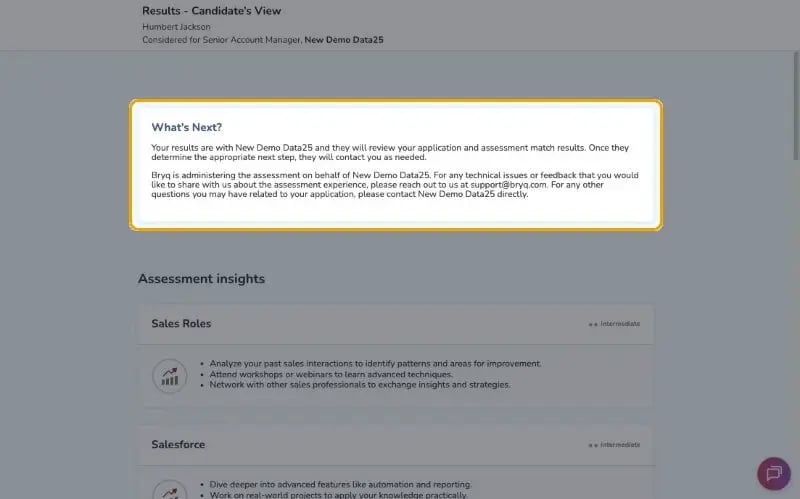
What’s Next? explains that results are with your company, and whom to contact: Bryq support for technical issues, your company about the application.
Assessment insights
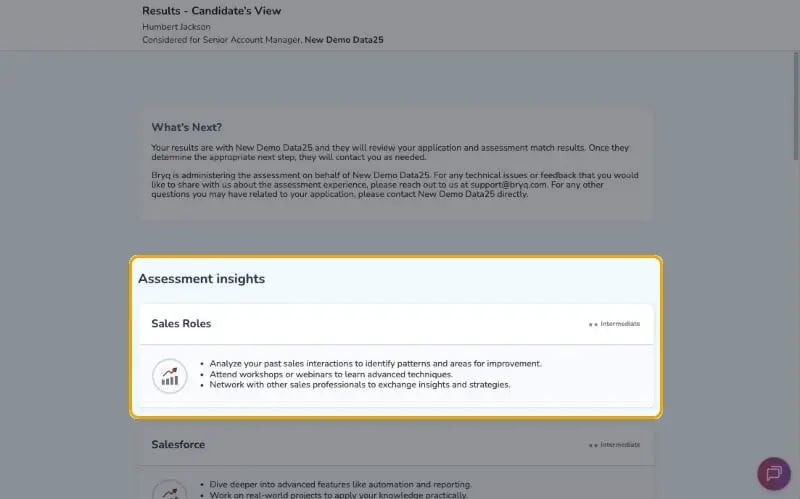
A section per skills assessment with practical tips to improve.
Profile Fit for the candidate
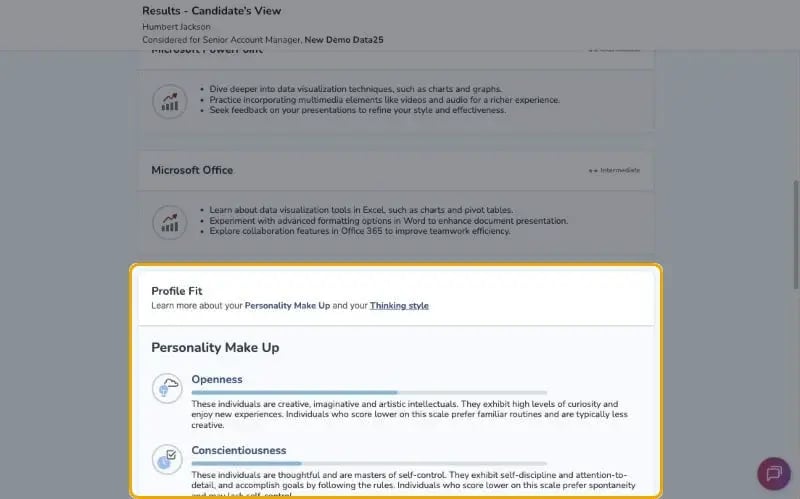
A Big Five personality overview and a short Thinking Style note for each cognitive attribute. No scores anywhere, only bars and clear descriptions.
Career insights
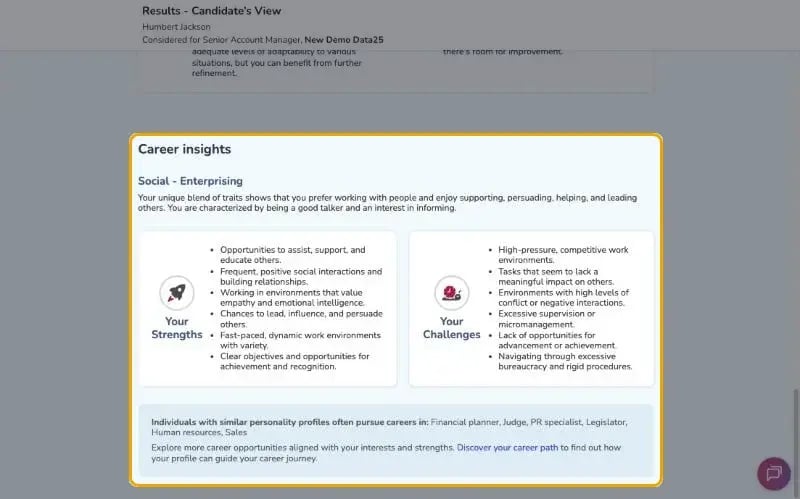
Humbert’s interest profile is Social–Enterprising: he prefers working with people, persuading and leading. It lists environments where he’s likely to thrive, ones he may find harder, and careers people with similar profiles often pursue.
Development-focused feedback improves the candidate experience whether or not someone moves forward.
Part 6: Beyond one role
6.1 Comparing across jobs
The Candidates tab
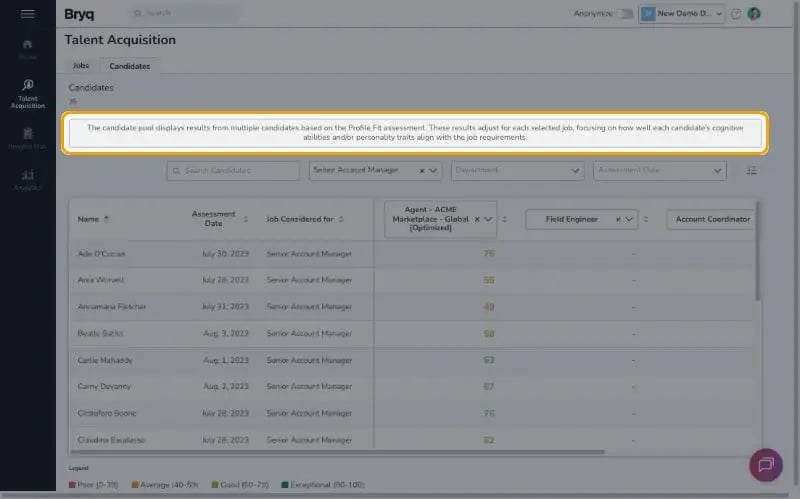
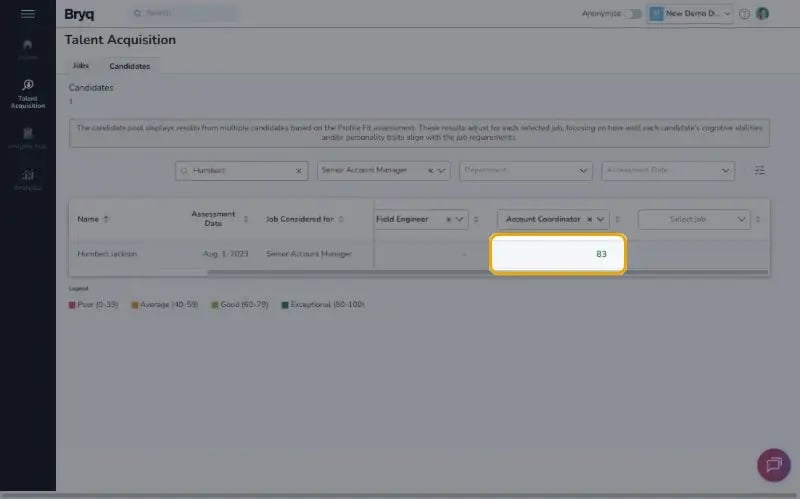
Next to Jobs, under Talent Acquisition: everyone assessed in your account. Search, or filter by the job they were considered for, department or assessment date. Here: the 35 Senior Account Manager candidates.
Up to four roles side by side
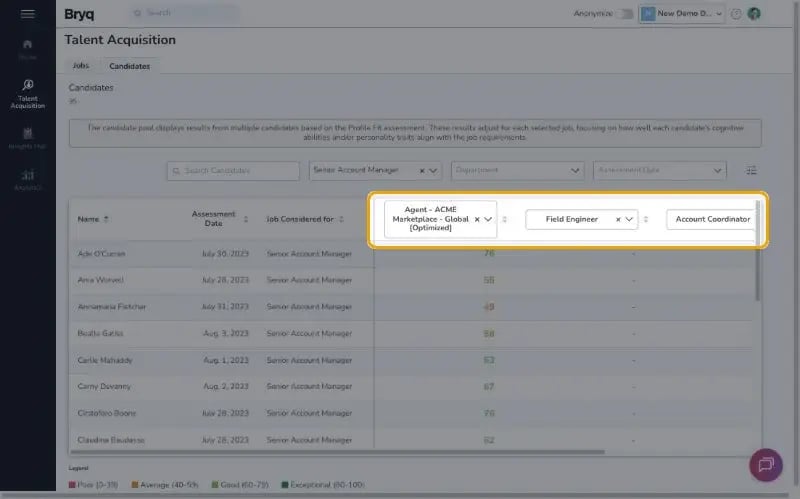
Pick other roles in the column headers. Each adds a column with every candidate’s Profile Fit for that role, recalculated from the same answers and color-coded. Sort by any column. A dash means no score for that role.
Humbert across roles
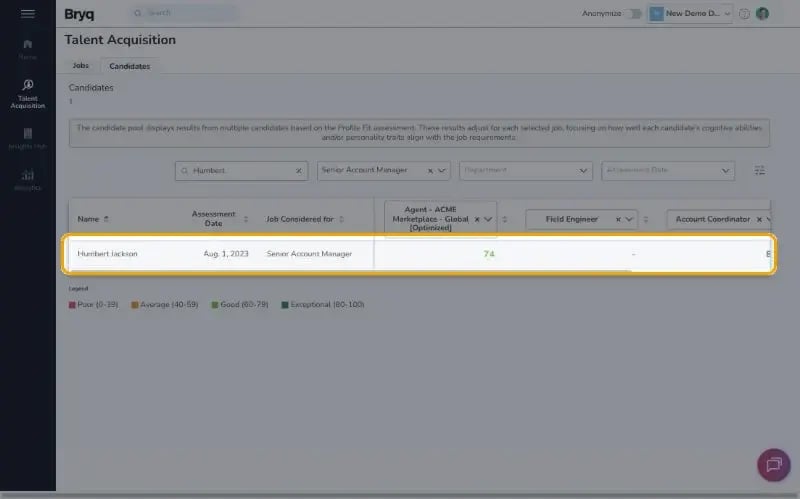
74 for Agent – ACME Marketplace, and, scrolling right, 83 for Account Coordinator: an Exceptional fit for a role he never applied for.
Two ways to use this view
Talent acquisition: fill a new opening from people you’ve already assessed. Talent management: compare employees against roles they could grow into, for internal mobility and succession planning.
This is why we don’t recommend deleting candidates: every assessment keeps adding value to your talent pool.
6.2 Recap and quiz
Five principles, and a quick quiz
These help you read any Bryq report on your own. Pick an answer to see if it is right, and why.
- Start broad, then go deep. The Overview gives the big picture; the tabs tell you why.
- Read personality as tendencies, not verdicts. Direction, intensity, and how traits work together.
- Connect the sections. The best insights come from comparing results across the report.
- Use the interview to confirm. The report shows where to look; the interview shows the person.
- Results keep their value. The Candidates view re-scores everyone you’ve assessed against your other roles.
1. A standardized score of 64 falls in which band?
- Average
- Good
- Exceptional
60–79 is Good.
2. Humbert’s Profile Fit is 74 but his overall recommendation is 87. Why?
- A rounding difference
- The overall combines all assessments by their weights, and his skills scores are in the 90s
- The culture score raised it
Profile Fit covers personality and cognitive only; the overall combines everything in the package.
3. The Interview Guide marks Abstractedness as Poor. What does that mean?
- Humbert should be rejected
- His result leans away from the role’s preferred pole, so it’s worth exploring in interview
- He failed a test question
Traits have no good or bad pole. The guide points to where an interview tells you most.
4. The pool average and the percentile differ. Which compares Humbert with everyone who has taken Bryq’s assessments?
- The pool average
- The percentile
- Neither
The pool average is this role’s candidates; the percentile is the wider norm group.
5. Why can the same person get different scores in the Candidates view?
- Their answers are re-weighted for each role’s requirements
- They retake the assessment
- Scores are random
Answers stay the same; each role has its own weights, traits and preferred poles.
Screenshots from a Bryq demo account with sample data. Use the arrow keys after clicking inside the tutorial.